

API tokens provide secure authentication for programmatic access to Spark CRM’s REST API.
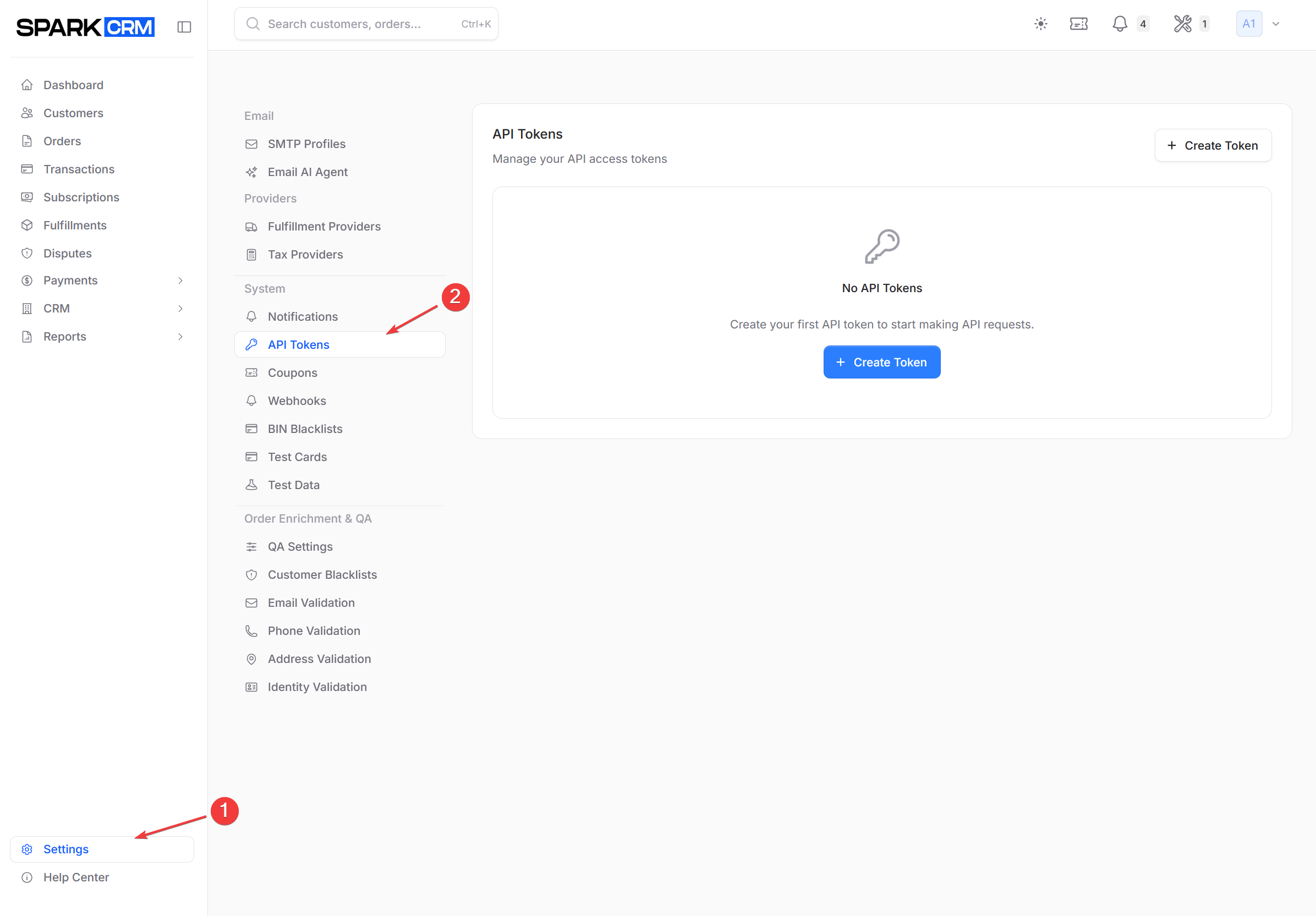
Navigation: Settings > API Tokens
Access: API Tokens is available to the team owner and to members with the account_admin role. Any other member of an Account-type team needs the api:view_any permission — the API Tokens menu entry is always visible, but opening it without permission returns an authorization error. Creating, editing and deleting tokens additionally require api:create, api:update and api:delete, and are disabled entirely on demo accounts.
Overview
API tokens are used to authenticate requests to the Spark CRM API. Each token is associated with your team and provides access based on configured permissions.
Creating a Token
Step 1: Navigate to API Tokens
- Go to Settings in the sidebar
- Click API Tokens in the left menu
Step 2: Create New Token
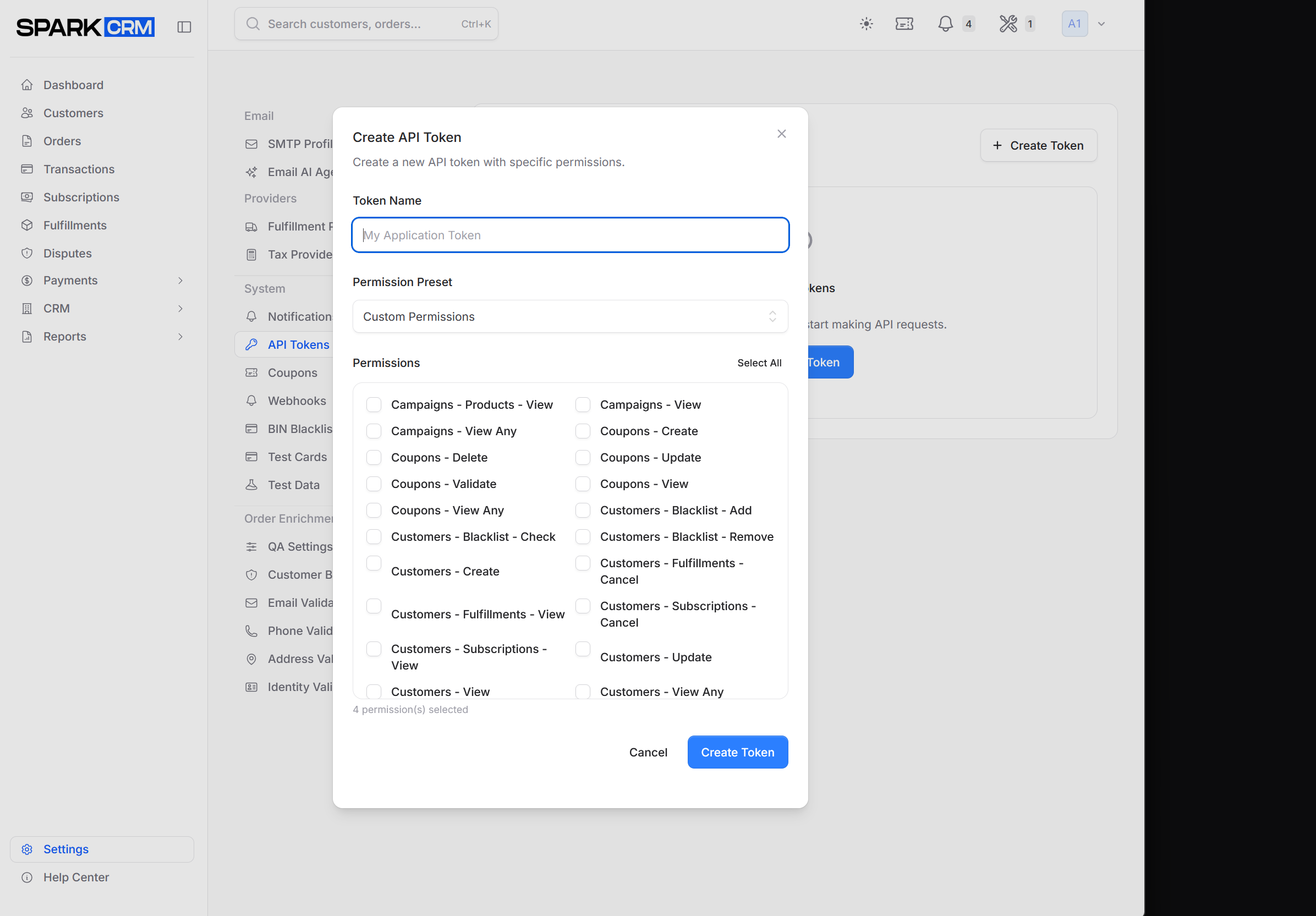
- Click Create Token button
- Enter a descriptive name for the token (e.g., “Production Website”, “Integration Testing”)
- Choose the token’s permissions — at least one is required. Use the Permission Preset dropdown (Custom Permissions, Full Access, Read Only, Orders Management, Transactions Only) to apply a ready-made set, or tick individual abilities in the Permissions grid (125 available). Select All / Deselect All toggles the whole grid, and a counter under the grid shows how many are currently selected. New tokens start with the four legacy defaults (
api:view_any,api:create,api:update,api:delete) already applied; these are counted in the selection total but are not listed as checkboxes in the grid. - Click Create Token to issue the token (or Cancel to discard).
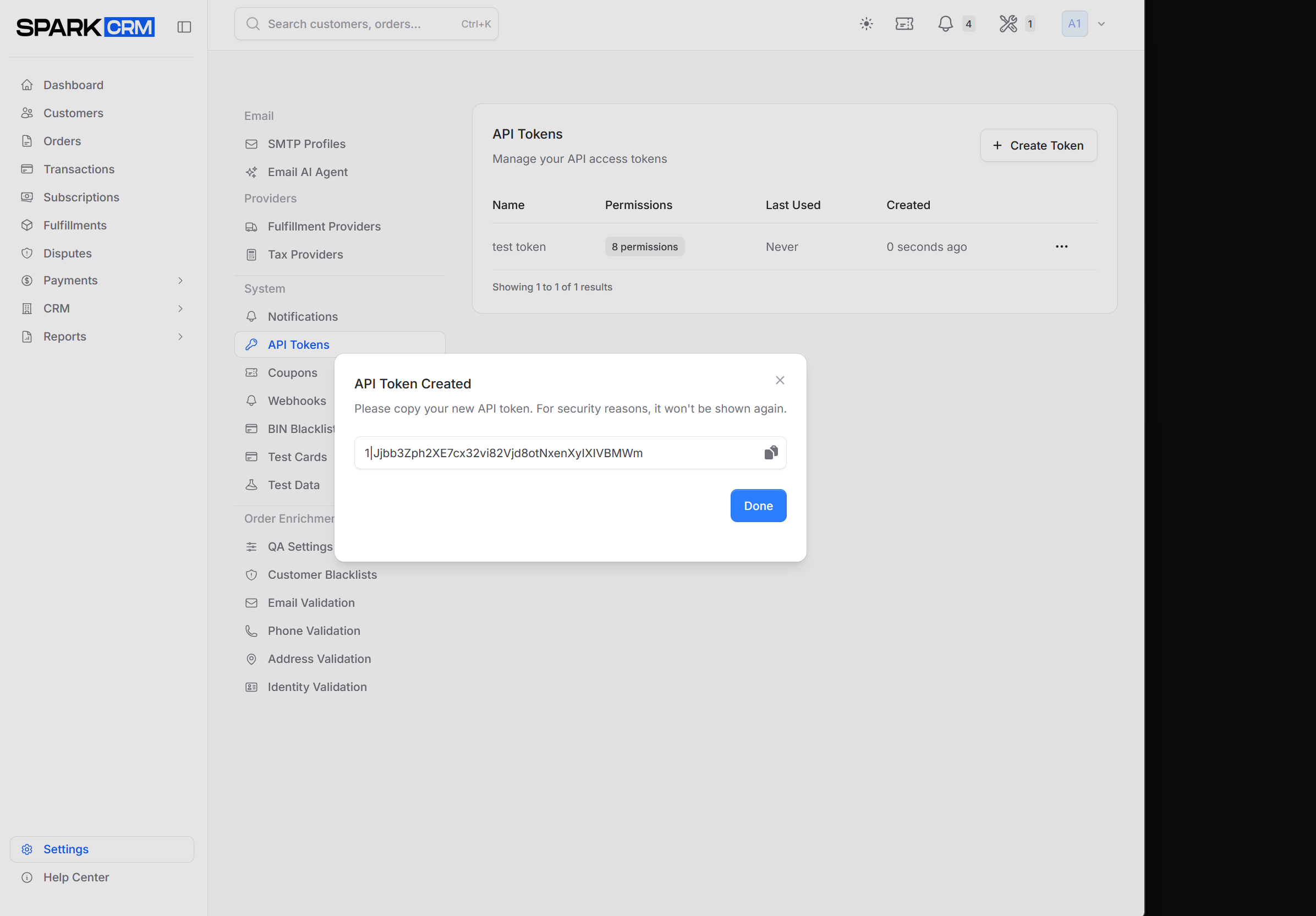
Step 3: Copy the Token
Important: The token is only displayed once. Copy it immediately and store it securely.
Using API Tokens
Include the token in the Authorization header of your API requests:
curl -X GET "https://api.sparkcrm.io/v1/campaigns" \
  -H "Authorization: Bearer YOUR_API_TOKEN" \
  -H "Accept: application/json"
Managing Tokens
Viewing Tokens
The token list displays:
| Column | Description |
|---|---|
| Name | The token’s name |
| Permissions | Badge showing how many abilities the token grants |
| Raw Card | Raw card: Enabled (green) or Raw card: Disabled — use hosted tokenization (amber) |
| Last Used | Time of the most recent authenticated API request, or Never |
| Created | When the token was created |
| … | Per-row actions menu (Edit, Delete) |
A token with Raw Card disabled cannot submit card data to the REST API. Any request sending payment.method: "card", payment.card_number/payment.card.number or payment.card_cvv/payment.card.cvv is rejected with HTTP 403 and error_code: raw_card_data_not_allowed; such tokens must use hosted tokenization (payment.method: "token") or an on-file payment method.
The list shows the newest tokens first, 10 per page.
Editing a Token
- Open the … menu at the end of the token’s row and choose Edit
- In the Edit API Token modal, change the Token Name and/or the permission selection
- Click Update Token
Editing never reveals or rotates the token secret, and it cannot change the token’s Raw Card setting. Raw Card is set when the token is issued, from your account’s raw-card policy — recreating the token will not change it. Contact support if a token needs its Raw Card setting changed.
Revoking a Token
To revoke (delete) a token:
- Find the token in the list
- Open the … (ellipsis) menu at the end of its row and choose Delete
- In the Delete API Token dialog, click Delete Token to confirm
Warning: Revoking a token immediately invalidates it. Any integrations using the token will stop working.
Security Best Practices
Token Management
- Use descriptive names: Know what each token is used for
- Create separate tokens: One token per integration/purpose
- Rotate regularly: Replace tokens periodically
- Revoke unused tokens: Remove tokens no longer needed
Token Storage
- Never commit tokens to source control
- Use environment variables in your applications
- Encrypt at rest when storing tokens
- Limit access to token values
Monitoring
- Check “Last Used” dates regularly
- Investigate unexpected API activity
- Monitor for failed authentication attempts
Rate Limiting
API requests are subject to rate limiting:
- Limits are per-team, not per-token
- Check response headers for current limits
- Implement exponential backoff for 429 responses
Troubleshooting
Authentication Failed
Check:
- Token is copied correctly (no extra spaces)
- Token hasn’t been revoked
- Using
Bearerprefix in Authorization header
Token Not Working
Check:
- Token has required permissions
- API endpoint is correct
- Request format is valid JSON
- If the response is a 403 with
error_code: raw_card_data_not_allowed, the token has Raw Card disabled — send the payment with hosted tokenization (payment.method: "token") or an on-file payment method instead
Related Topics
- Webhooks - Event notifications
- API Reference - Full API documentation