

Spark CRM is a comprehensive CRM and payment processing platform built specifically for digital commerce businesses. It combines customer relationship management, subscription billing, and fulfillment tracking into a single, powerful platform.
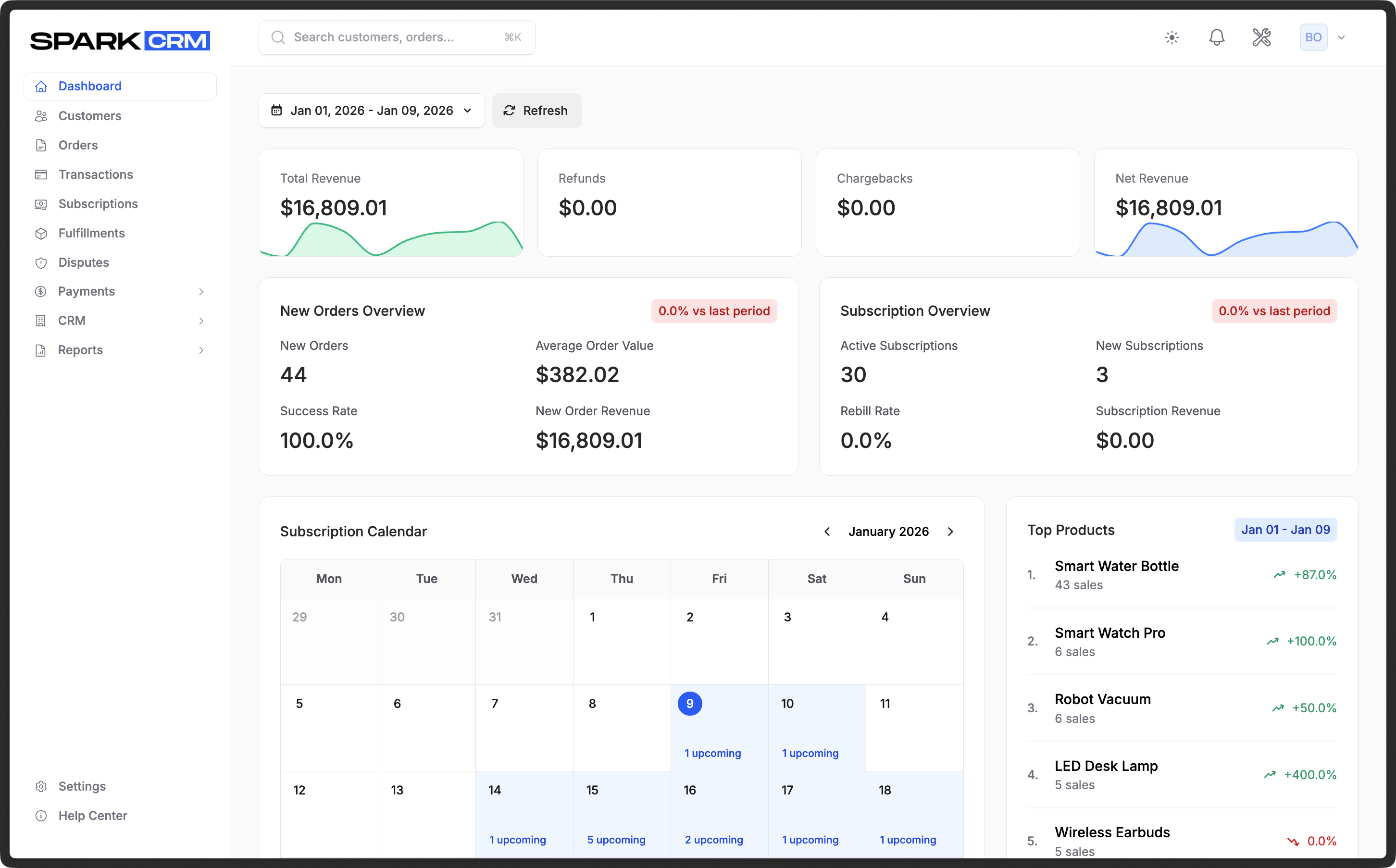 Screenshot: Your Spark CRM dashboard - manage customers, orders, payments, and analytics from one place
Who is Spark CRM For?
Spark CRM is designed for:
- Ecommerce businesses selling physical or digital products
- Subscription-based companies managing recurring billing
- Direct-to-consumer (DTC) brands needing robust payment processing
- Digital marketers running campaigns with affiliate tracking
- Businesses that need intelligent payment routing and decline management
What Problems Does Spark CRM Solve?
Payment Processing Complexity
Managing multiple payment gateways, handling declines, and optimizing approval rates is complex. Spark CRM provides:
- Decline Salvage - Automated retry logic to recover failed payments
- Gateway Management - Connect and manage multiple payment processors
Customer Data Management
Keep all your customer information in one place:
- Complete customer profiles with contact details
- Email, phone, and address validation
- Customer lifecycle tracking
- Order and transaction history
Subscription Management
Handle recurring billing with ease:
- Automated rebilling on schedule
- Retry logic for failed payments
- Subscription lifecycle management
- Billing calendar and forecasting
Campaign and Affiliate Tracking
Run marketing campaigns effectively:
- Multi-level affiliate tracking (up to 5 levels)
- Campaign performance analytics
- Conversion tracking and postbacks
- Geographic and currency restrictions
Order Fulfillment
Track product delivery:
- Integration with fulfillment providers
- Shipment tracking
- Return merchandise authorization (RMA)
- Digital and email fulfillment types (recorded on the fulfillment; download URL, limit and expiry are display-only — Spark CRM does not host the file, generate a download link, or email it)
Where to Find API Documentation
Spark CRM provides a REST API for programmatic access to core commerce resources: campaigns (with offers, upsells, affiliates and auto-responders), affiliates, auto-responders, products, coupons, orders, transactions, customer notes, subscriptions, fulfillments, gateways, payment routers, decline salvage profiles, alternative payments and webhooks. Reports, disputes, stores, funnels, users and team settings are managed in the dashboard.
Full API Documentation
Complete API documentation, including endpoints, request/response examples, and authentication guides, is available at:
🔗 https://developers.sparkcrm.io/
The developer documentation includes:
- Complete endpoint reference for every API resource
- Authentication and API token management
- Request/response examples in multiple languages
- Webhook configuration and events
- Rate limiting and best practices
- Interactive API explorer
Quick API Overview
- Base URL:
https://api.sparkcrm.io/v1 - Authentication: Bearer tokens (Laravel Sanctum)
- Format: JSON request/response
- Token Management: Settings > API Tokens in your Spark CRM dashboard
Quick start example (list campaigns):
curl -X GET "https://api.sparkcrm.io/v1/campaigns" \
  -H "Authorization: Bearer {your-api-token}" \
  -H "Accept: application/json"
Key API Resources
/v1/campaigns- Campaign management/v1/customers/{customer_number}/notes- Customer notes (customer profile data is not exposed on/v1; blacklist and cancellation actions live on the checkout API)/v1/orders- Order creation and management/v1/transactions- Payment transactions/v1/fulfillments- Shipment and fulfillment tracking/v1/subscriptions- Subscription management/v1/products- Product catalog
For complete documentation, code examples, and interactive testing, visit developers.sparkcrm.io
Getting Help
If you need assistance, Spark CRM offers multiple support channels:
Support Tickets
Create a detailed support ticket for complex issues:
- Navigate to Support
- Click “Create Ticket”
- Select a category and priority
- Describe your issue and attach files if needed
Email Support
Email our support team directly at support@sparkcrm.io.
Next Steps
Ready to get started? Check out Using the App for your first workflow.